


Investing.com: Stock Market
INVESTING.com
I use market apps differently from ordinary news apps: I want a quick view of what is moving, enough context to understand why, and a way to return to the instruments I actually follow. Investing.com: Stock Market is built around that routine. Developed by INVESTING.com, this free finance app brings market information, news, calendars, charts, and watchlist-style tracking into one place. My overall impression is that it is most useful as a broad market companion rather than as a complete replacement for a broker or a carefully focused research terminal.
The app has a strong public track record, with a 4.6 average from around 988 thousand ratings and more than 50 million installs. It is rated for Everyone, which makes it approachable for beginners, although the amount of financial information can still feel dense when you first open it. The current version is 6.45, and it runs on Android 7.0 or later. There are optional in-app purchases, ranging from $0.99 to $538.80 per item, so I would pay attention to what is included in any upgrade before confirming it.
Where the first setup usually becomes confusing
The biggest early challenge is not finding a quote; it is deciding what deserves your attention. Investing.com covers a wide range of markets, so the opening experience can feel crowded if you try to follow everything at once. Stocks, indices, currencies, commodities, cryptocurrencies, and economic events can all pull you in different directions. I found the app easier to use after treating it as a personal dashboard instead of browsing every available section.
My first practical step would be to choose a small group of instruments that match your real purpose. If you are checking a long-term portfolio, begin with the shares and broad indices you already own or are considering. If you follow currency movements, keep the list focused on the pairs that matter to you. This reduces the chance of mistaking a dramatic move in an unrelated market for something relevant to your own decisions.
One detail that can trip up new users is the difference between a price feed and an executable trading price. The app can help you monitor markets and study movements, but it should not automatically be treated as the place where a trade is placed or settled. Quotes may differ from those shown by your broker because of timing, market source, trading hours, or the instrument itself. I would always verify the final price and order details with the broker handling the transaction.
Related News

Why WhatsApp Messenger Still Makes Everyday Communication Feel Easy

Jurassic World: The Game Is the Better Dino Tycoon for Strategic Players

Threads in Real Life: Who Should Join, Lurk, or Leave

How SHEIN Turned Shopping Into an Endless Content Feed

How to Make Fortnite Feel Smarter on Mobile

Should You Switch to Microsoft Outlook on Mobile?
Notifications also deserve deliberate setup. Alerts can be useful when they are tied to a clear reason, such as watching a level or a scheduled economic release. They become noise when every market update is enabled. I prefer starting with only the alerts that support a specific plan, then adding more only if I can explain what action each alert is meant to help me consider.
Checks that make the app easier to trust
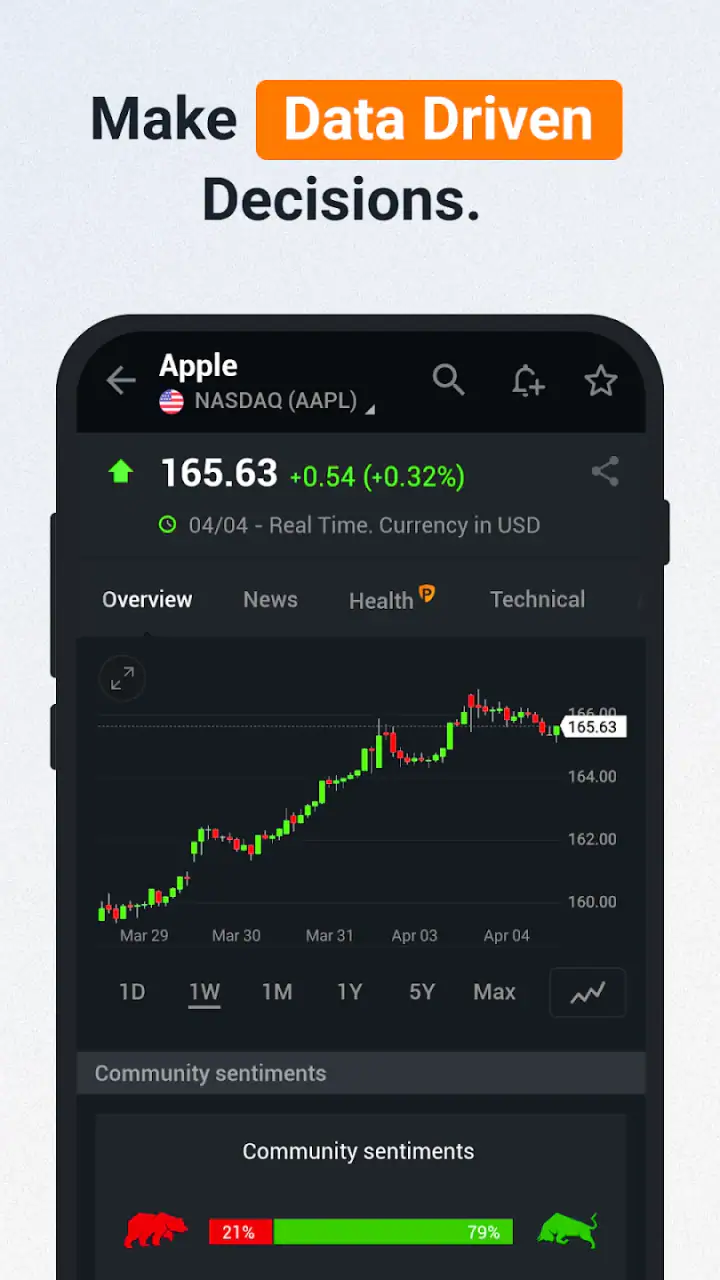
Before relying on a number, I check the instrument name, the market it belongs to, the displayed currency, and the time associated with the quote. Similar company names or different share classes can make a quick search misleading. This is especially important when moving between a local listing and an overseas listing. A price can look wrong simply because I am viewing a different exchange or currency.
I also check whether I am looking at a live market, a delayed quote, or a closed session. The app is useful outside trading hours because it gives me news, previous movement, and upcoming events, but a chart that has stopped moving is not necessarily malfunctioning. It may simply reflect a market that is closed or an instrument that does not trade continuously.
Gallery
For a new installation, I would use a stable connection, let the app finish loading its market sections, and update it through the normal app store process if a newer build is available. If a page looks incomplete, I avoid repeatedly tapping buttons and instead give the screen a moment to refresh. Repeated actions can make it harder to tell whether the original request worked.
Account and subscription choices are another place where a little patience helps. The free version is enough to explore the service and build a basic market-reading habit. If a premium prompt appears, I would read the wording carefully rather than assuming that every feature is necessary. The wide range of optional purchase prices makes this particularly important for anyone who only wants quotes, headlines, and occasional chart checks.
My best setup tip is to create a narrow information path before exploring the whole app. Pick a watchlist, one calendar view, and one chart style that you understand. Once that routine works, expand gradually. This is more effective than trying to learn every market category in a single session.
How I recover when a normal workflow breaks
When a quote, chart, or news page does not behave as expected, I first identify whether the problem affects one instrument or the entire app. If only one symbol is missing, I search for it again and check the exchange or listing details. If every section is slow, the more likely causes are connection quality, temporary service load, or an app state that needs refreshing.
A simple recovery sequence is to leave the affected screen, return to it, and check whether other sections load normally. If the problem remains, I close and reopen the app, then confirm that the device still has a working connection. I would avoid deleting personal settings or reinstalling immediately, because a local reset can remove a convenient watchlist or make it harder to identify what actually went wrong.
Charts deserve their own check. If the line appears blank, compressed, or unexpectedly flat, I look at the selected time range and instrument first. A very long period can make recent changes look insignificant, while a very short period can exaggerate ordinary movement. I also check whether I have accidentally switched from a price chart to another view or selected a market with limited trading activity.
News and economic-calendar pages can be misread when the date, region, or event importance is not what I expected. I use the calendar as a planning aid, not as an automatic trading signal. Before reacting to an event, I read the surrounding context and compare the release with the market’s actual movement. A headline can explain part of a move without proving that it will continue.
If a notification arrives late, I do not immediately assume the app has failed. Device settings, battery management, connection interruptions, and the timing of the underlying market event can all affect delivery. I check whether notifications are allowed for the app and whether the alert was configured for the correct instrument and condition. For anything time-sensitive, I would never rely on a single notification source.
Useful workflows beyond simply checking prices
The strongest use case I found is a short daily review. I open the watchlist, scan the major movements, read only the headlines connected to instruments I follow, and then check the economic calendar for events that could affect the session. This takes less discipline than opening several separate websites, but it still leaves room for judgment. The app helps me organize questions; it does not answer whether I should buy or sell.
A second useful workflow is event preparation. Before a central-bank decision, employment release, or major company announcement, I can use the calendar to identify the timing and then watch the relevant market groups. The important trade-off is avoiding a crowded screen. I would rather follow two or three related instruments and understand their reactions than monitor dozens of symbols without a clear comparison.
Charts are more valuable when I use them to test a question. For example, I might ask whether a recent move is part of a larger trend or merely a short-lived jump. I can change the period, compare the instrument with a broader index, and read related news. That is a better habit than drawing conclusions from one dramatic candle or a single percentage change.
Another non-obvious benefit is the ability to separate discovery from execution. I can notice an unfamiliar company, inspect its market context, and decide whether it deserves further research without immediately opening a broker. This creates a useful pause between curiosity and action. For beginners, that pause may be more valuable than having a faster route to an order screen.
At the same time, I would not use the app as my only research source for a serious investment decision. A market dashboard is good at breadth and speed, while deeper analysis often requires company filings, broker tools, portfolio records, or specialist research. Investing.com fits well at the top of that process: it helps me notice what to investigate next.
When the app is not the cause of the problem
Financial apps are often blamed for market behavior that is actually normal. A price can change sharply because the market is reacting to news, liquidity is thin, or a trading session is opening or closing. A chart can look different from a broker’s chart because the two services use different feeds or display conventions. These differences do not automatically indicate an error.
Currency conversion is another source of confusion. If I compare a local share price with a foreign quote without accounting for exchange rates, the numbers may appear inconsistent. The same applies to assets quoted in different units. I check the currency and instrument details before deciding that a quote is incorrect.
It is also important to separate information from advice. Headlines, analyst commentary, calendars, and price movements can influence my thinking, but none of them remove the need to consider risk, time horizon, fees, taxes, and personal circumstances. Someone looking for automatic portfolio management, guaranteed signals, or direct custody of investments should choose a different type of product.
I would also skip this app if I only want a minimal stock ticker with no extra context. Its broad coverage is a strength for curious users, but it can feel excessive for someone who wants one clean number and nothing else. A broker’s own app may be better for placing orders, checking settled cash, and managing positions. A dedicated charting tool may be preferable for users who need highly specialized technical analysis. Investing.com is most convincing in the middle: wider than a simple quote widget, but less specialized than a professional terminal.
What I would recommend to different users
For a beginner, I recommend starting with a watchlist of familiar instruments and using the calendar to learn why markets move at particular times. Avoid turning every headline into a trade idea. The app can teach useful habits—checking context, confirming the market, and comparing time ranges—if it is used slowly rather than as a stream of urgent signals.
For an active market watcher, the combination of watchlists, charts, news, and event tracking is convenient. The limitation is that convenience can encourage constant checking. I would set specific review times and use alerts sparingly, especially if frequent price changes make it harder to follow a longer-term plan.
For a long-term investor, the app works best as a monitoring and discovery tool. It can help identify relevant news or broad market changes, but I would keep portfolio records and final transaction information in the broker or financial service where the assets are held. That division of labor keeps the app useful without asking it to do a job it was not designed to replace.
For someone who needs advanced execution, institutional data, or a fully integrated portfolio workflow, I would look elsewhere first. The broad audience and accessible presentation are part of the appeal, but they also mean the experience is not tailored to every specialist requirement.
My practical verdict after using it
Investing.com: Stock Market earns its place on my phone because it gathers a large amount of market context without forcing me to open a separate page for every question. I like it most when I use it as a morning scan, an event calendar, a watchlist, and a starting point for research. The app’s scale is impressive, but that same scale demands a little organization from the user.
The free entry point makes it easy to try, and the Everyone rating reflects its accessible presentation, not the absence of financial risk in the subject matter. Optional purchases mean I would review upgrade screens carefully. The app is not a substitute for a broker, personal financial advice, or independent research, and its quotes should be checked against the service used for execution.
My final recommendation is clear: install it if you want broad market awareness and are willing to build a focused routine. Start small, verify symbols and currencies, check whether a market is open, and treat alerts as reminders rather than commands. If you follow those habits, this finance app becomes a practical research companion instead of an overwhelming wall of numbers. Its real strength is helping me decide what deserves a closer look, not deciding for me.
FAQs for Investing.com: Stock Market
What features does the Investing.com app offer?
Investing.com provides a comprehensive suite of tools for tracking global financial markets. Users can access real-time quotes for stocks, bonds, commodities, and currencies. The app also offers economic calendars, personalized portfolio tracking, financial news, and technical analysis charts, making it a robust platform for both novice and experienced investors.
Is the Investing.com app free to use?
Yes, the Investing.com app is free to download and use. However, it offers in-app purchases for premium features. These may include ad-free experiences, advanced analytics, and additional data sets. While the free version is quite comprehensive, the premium options can enhance the user experience for serious investors.
How reliable is the data provided by Investing.com?
Investing.com is known for providing accurate and up-to-date financial data. The app aggregates information from various reliable sources to ensure precision in its market data. However, users should always cross-reference critical financial decisions with multiple sources to ensure the utmost accuracy and reliability.
Can I customize my experience on the Investing.com app?
Yes, the app allows extensive customization to suit individual investor needs. Users can create personalized watchlists to track specific stocks or markets, set up alerts for price changes or news updates, and adjust the user interface layout according to their preferences. This customization enhances the user experience significantly.
Is Investing.com suitable for beginners in stock market investing?
Investing.com caters to all levels of investors, including beginners. The app provides educational resources, such as market news and analysis articles, which can help newcomers understand market dynamics. Its user-friendly interface and comprehensive features make it an excellent starting point for those new to investing.
Pros
- Comprehensive market data coverage.
- User-friendly interface for beginners.
- Real-time stock updates and alerts.
- Customizable watchlists and portfolios.
- Extensive news and analysis sections.
Cons
- Occasional ads may disrupt usage.
- Some features require premium access.
- Can be overwhelming for new users.
- Notifications can be excessive.
- Limited cryptocurrency options.


